Free Microsoft AB-100 Practice Test Questions MCQs

Stop wondering if you're ready. Our Microsoft AB-100 practice test is designed to identify your exact knowledge gaps. Validate your skills with Agentic AI Business Solutions Architect questions that mirror the real exam's format and difficulty. Build a personalized study plan based on your free AB-100 exam questions mcqs performance, focusing your effort where it matters most.

Targeted practice like this helps candidates feel significantly more prepared for Agentic AI Business Solutions Architect exam day.

2510+ already prepared
Updated On : 25-May-2026
51 Questions
Agentic AI Business Solutions Architect
4.9/5.0

Page 1 out of 6 Pages

Fabrikam, Inc


Background -Fabrikam, Inc., is a global consumer goods company that is under going adigital transformation initiative to migrate its entire infrastructure to the Microsoft cloud. As a key element of this cloud migration, the company will implement Microsoft Dynamics 365 Sales, moving away from the current on-premises proprietary technologies used by its business-to-business (B2B) sales team.As part of the cloud migration, Fabrikam will adopt an AI-first approach to its business solutions and implement AI solutions, wherever possible, to streamline operations.Problem Statements -Fabrikam's infrastructure currently relies on various on-premises systems that require sales executives to use corporate computers with physical keyboards to access business information during customer interactions. Mobile phones cannot be used for these purposes, as the systems depend on keyboard input. As a result, the sales executives spend a lot of time using keyboards to search for data on several disparate systems and file servers, rather than focusing on the customers. This affects the customer experience.Fabrikam stakeholders are concerned that users will be hesitant to adopt AI. If the AI initiatives are NOT adopted, cost savings will never be realized. Additionally, funding for future AI initiatives will depend on demonstrating an increase in AI adoption month over month. As the AI agent initiative for the sales team will be the first for Fabrikam, the rapid adoption of the agent is a high priority.Planned Initiatives -General -Fabrikam management has prioritized AI-driven projects to improve efficiency, customer engagement, and responsible AI adoption. The current application infrastructure is on-premises and must be migrated to the cloud to support the adoption of these technologies.Infrastructure Migration -Fabrikam plans to migrate from its current on-premises infrastructure to a completely cloud-based topology; this will include user authentication, the security framework, and, primarily, the adoption of the services by end users.All the data from the different systems will be consolidated into a single data source - a common data model that will use a Microsoft Dataverse environment as a single source of truth (SSOT) for the sales team.Sales Cycle Enablement -To achieve the company's objectives, Fabrikam intends to implement the following strategies to enhance the sales cycle:Use low-code development to create a single AI agent that has Dataverse as its core component.Ensure that sales managers can access unanswered correspondence from prospects and intervene as appropriate.Replace the previous proprietary software with Dynamics 365 Sales to track sales cycles and customer interactions.Have the sales executives use Dynamics 365 Sales to track interactions for open opportunities and send follow-up communications to prospects.Have the sales executives use handsfree headsets to interact with an AI agent when they have questions about internal policies or customer data.Requirements -Infrastructure Migration -Fabrikam has identified the following infrastructure migration requirements:Azure must be used for all future infrastructure workloads.The company must follow Microsoft-recommended methodologies for infrastructure migration to the cloud.Any created AI agents must have their return on investment (ROI) calculated to ensure that the solution will save the company money.Sales Cycle Enablement -Fabrikam has identified the following requirements for sales cycle enablement:The final AI agent must follow Microsoft recommendations for a conversational user experience.A designated checklist must be reviewed to ensure that the AI agent follows Microsoft deployment recommendations for a compliant solution.Detailed telemetry must be logged for the first created AI agent to help troubleshoot and optimize the agent during the initial AI agent adoption process.Unexpected AI agent actions must end in an escalation to a live representative. For example, a sales executive must be rerouted to a representative if the agent cannot answer a question after two failed attempts.The return on investment (ROI) of switching from the current process to the future process is required for stakeholder sign off.The sales team must use Dynamics 365 Sales to correspond with prospects more quickly and efficiently than currently.Sales managers must report on the adoption of the AI agent to key Fabrikam stakeholders on a monthly basis.Any sensitive information, such as user IDs and names, shared via the AI agent must be tracked for future auditing.

You are designing a testing solution for Microsoft Copilot Studio agents.

You need to validate prompt engineering best practices to ensure that the agents generate accurate and contextually relevant responses. Which prompt validation techniques and metrics should you include in the solution? To answer, select the appropriate options in the answer area.

NOTE: Each correct selection is worth one point.


Explanation:
To validate prompt engineering for accurate and contextually relevant responses, use varied phrasing techniques to test robustness (same intent, different wording), and measure response relevance and accuracy as the primary quality metric. Excluding domain terminology (A) reduces contextual accuracy. One-word prompts (C) are unrealistic. Word count (A) and generation time (C) measure performance, not quality.

Correct Options:

Prompt validation technique:

Use prompts that have varied phrasing
Tests whether the agent understands the same user intent expressed in different ways (synonyms, rephrased questions).
Validates prompt robustness and generalization.
Essential for ensuring accurate responses across real-world user inputs.

Metric:

Response relevance and accuracy
Directly measures whether the agent’s answer matches the user’s intent and is factually correct.
Can be assessed via human evaluation or AI-assisted metrics (e.g., groundedness, coherence).
The most critical metric for prompt engineering validation.

Incorrect Options:

Prompt validation techniques (excluded):
Exclude domain-specific terminology → Removes necessary context, reducing accuracy.
Use only simple, one-word prompts → Unrealistic; agents fail on complex real-world queries.

Metrics (excluded):
Number of words generated per response → Length does not indicate quality or relevance.
Response generation time → Performance metric, not quality or accuracy.

Reference:
Microsoft Learn – “Prompt testing best practices for Copilot Studio” – Use varied phrasing to test robustness; measure relevance and accuracy as quality metrics.
Microsoft Learn – “Agent evaluation metrics” – Relevance and accuracy are primary for response quality.

A manufacturing company wants to deploy an agent that will automate supplier invoice processing.

You are designing a solution to evaluate the financial implications of the deployment. The company is especially concerned about budget overruns.

You need to ensure that the solution considers the total cost of ownership (TCO), the expected savings from using automation, and whether to extend the existing Al capabilities.

What should you include in the design?

A. adopting prebuilt agents to reduce the deployment time

B. a return on Al investment (ROAI) analysis

C. a break-even analysis only

D. training a custom model

B.   a return on Al investment (ROAI) analysis

Explanation:
The question asks for an evaluation of financial implications including TCO, expected savings, and whether to extend existing AI capabilities. A return on AI investment (ROAI) analysis holistically covers costs (TCO), benefits (savings), and strategic extension decisions. Break-even analysis (C) alone ignores ongoing ROI and extensibility. Prebuilt agents (A) address deployment time, not financial evaluation. Custom model training (D) is a cost, not an evaluation method.

Correct Option:

B. a return on AI investment (ROAI) analysis
ROAI quantifies total cost of ownership (TCO) vs. expected savings from automation.
Includes operational efficiencies, labor reduction, and error reduction benefits.
Provides a framework to decide whether extending existing AI capabilities is financially justified.
Directly addresses budget overrun concerns through cost-benefit modeling.

Incorrect Options:

A. adopting prebuilt agents to reduce deployment time
Reduces deployment time but does not evaluate financial implications, TCO, or savings.
Deployment speed is not a financial evaluation method.

C. a break-even analysis only
Break-even shows when costs are recovered but ignores TCO, ongoing savings, and extension decisions.
Too narrow; ROAI is more comprehensive.

D. training a custom model
A specific technical activity, not a financial evaluation approach.
Adds cost but does not help assess whether the investment is worthwhile.

Reference:
Microsoft Learn – “Measuring return on AI investment (ROAI)” – Includes TCO, savings, and strategic AI extension decisions.
Microsoft Learn – “Financial evaluation for AI deployment” – ROAI framework recommended over break-even analysis alone.

A company has two Microsoft Power Platform environments named Devi and Prodi. A Microsoft Copilot Studio agent named Agent1 is built into a solution in the Devi environment.

You plan to deploy Agent1 to Prodi.

You need to make Agent1 available to the users in Prodi. The solution must minimize administrative effort.

What should you do?

A. Export the solution as a managed solution and import the solution into Prodi.

B. Export the solution as an unmanaged solution and import the solution into Prodi.

C. Create a new Copilot Studio agent in Prodi by replicating the configuration of Agent1.

D. Share Agentl with the users in Prodi.

A.   Export the solution as a managed solution and import the solution into Prodi.

Explanation:
To deploy Agent1 from Dev to Prod with minimal administrative effort, export the solution containing the agent as a managed solution and import it into Prod. Managed solutions are designed for production deployment: they are read-only, support upgrades, and prevent accidental modifications. Unmanaged solutions (B) are for development. Recreating manually (C) or sharing across environments (D) are high-effort and non-standard.

Correct Option:

A. Export the solution as a managed solution and import the solution into Prodi.
Managed solutions are the standard ALM artifact for deploying to production.
Preserves Agent1 components (topics, actions, connectors) in a read-only layer.
Supports patching and upgrades with minimal effort.
No manual reconfiguration required.

Incorrect Options:

B. Export the solution as an unmanaged solution and import into Prodi.
Unmanaged solutions allow direct edits, violating production environment best practices.
Not recommended for production deployment; increases risk of breakage.

C. Create a new Copilot Studio agent in Prodi by replicating the configuration of Agent1.
Manual replication is error-prone, time-consuming, and does not minimize effort.
No traceability or version control.

D. Share Agent1 with users in Prodi.
Sharing works within a single environment, not across Dev and Prod environments.
Agent1 in Dev cannot be accessed by Prod users without deployment.

Reference:
Microsoft Learn – “Deploy Copilot Studio agents using solutions” – Export managed solutions to production.
Microsoft Learn – “Managed vs. unmanaged solutions” – Managed solutions are read-only and intended for production deployment.

You need to design a Microsoft Copilot Studio agent for customer support.

The agent must securely retrieve product warranty data from a REST API. The solution must minimize development effort. What should you include in the design?

A. Use a Microsoft Power Automate desktop flow to screen scrape the warranty data.

B. Export the agent as a managed solution and customize the agent in Power Apps.

C. Add the warranty data to the Fallback topic.

D. Create a custom connector in Copilot Studio and use the connector to call the API.

D.   Create a custom connector in Copilot Studio and use the connector to call the API.

Explanation:
To securely retrieve warranty data from a REST API with minimal development, create a custom connector directly in Copilot Studio. Custom connectors handle authentication (OAuth, API keys), request/response mapping, and error handling without writing code. Power Automate desktop flows (A) require screen scraping, which is fragile and high-effort. Fallback topics (C) are for unrecognized user input, not API calls.

Correct Option:

D. Create a custom connector in Copilot Studio and use the connector to call the API.
Copilot Studio includes a built-in custom connector wizard (low-code).
Supports secure authentication methods (API key, OAuth 2.0, Basic auth).
Connectors become actions/tools the agent can call natively.
Minimal development effort compared to custom code or screen scraping.

Incorrect Options:

A. Use a Power Automate desktop flow to screen scrape the warranty data.
Screen scraping is fragile (breaks with UI changes), high-maintenance, and insecure.
Desktop flows require a gateway and are overkill for a simple REST API call.

B. Export the agent as a managed solution and customize the agent in Power Apps.
Exporting and customizing in Power Apps does not help call a REST API.
Irrelevant to the core requirement of API integration.

C. Add the warranty data to the Fallback topic.
Fallback topic handles unrecognized user intents, not structured API data retrieval.
Does not provide any API calling capability.

Reference:
Microsoft Learn – “Custom connectors in Copilot Studio” – Use custom connectors to call REST APIs with minimal code.
Microsoft Learn – “Secure API authentication in Copilot Studio” – Supports OAuth, API keys, and managed identities.

A company has a Microsoft Power Platform environment.

You need to build two agents named Agent1 and Agent2. The solution must meet the following requirements:

• Agent1 must be extendable by using the Semantic Kernel and must connect to multiple business apps and APIs.

• Agent2 must connect directly to data stored in Microsoft Dataverse and must be embeddable in a Microsoft Power Apps canvas a pp.

What should you use to build each agent? To answer, select the appropriate options in the answer area.

NOTE: Each correct selection is worth one point.


Explanation:
Agent1 requires extensibility via Semantic Kernel and connections to multiple business apps/APIs → Microsoft Foundry (Azure AI Foundry) supports custom orchestrators, Semantic Kernel SDK, and API integrations. Agent2 requires direct Dataverse connection and Power Apps canvas app embedding → Microsoft Copilot Studio can build agents that connect natively to Dataverse and are embeddable in Power Apps.

Correct Options:

Agent1:

Microsoft Foundry
Provides full flexibility for custom agent orchestration with Semantic Kernel SDK (C#/Python).
Native integration with multiple business apps and APIs via connectors or custom code.
Designed for developers needing extensibility beyond low-code platforms.

Agent2:

Microsoft Copilot Studio
Direct, low-code connection to Dataverse tables as knowledge sources.
Generated agents can be embedded into Power Apps canvas apps using the “Add to Power Apps” feature.
No need for custom semantic kernel orchestration; ideal for Dataverse-focused agents.

Incorrect Options (excluded):

For Agent1:
Azure Logic Apps → Workflow orchestration, not an agent-building platform with Semantic Kernel extensibility.
Copilot in Power Apps → In-app AI assistance for Power Apps makers, not a standalone extensible agent.
Microsoft Copilot Studio → Limited extensibility; not designed for Semantic Kernel custom code.

For Agent2:
Microsoft Foundry → Overly complex for simple Dataverse embedding; requires custom development for embedding in Power Apps.
Azure Logic Apps → Not an agent-building tool; cannot embed in canvas apps.
Copilot in Power Apps → Assists with app creation, not a separate agent that connects to Dataverse.

Reference:
Microsoft Learn – “Azure AI Foundry for custom agents” – Semantic Kernel extensibility for multi-API agents.
Microsoft Learn – “Copilot Studio agents in Power Apps” – Embed Copilot Studio agents in canvas apps with Dataverse grounding.

A company has a cloud-based Al solution that uses Azure OpenAI models.

You need to design a monitoring solution that meets the following requirements:

• Monitors performance metrics and operational health for the models

• Monitors Al apps and agents for compliance

• Uses Azure-native capabilities

• Minimizes development effort

What should you use for each requirement? To answer, drag the appropriate options to the correct requirements. Each option may be used once, more than once, or not at all. You may need to drag the split bar between panes or scroll to view content.

NOTE: Each correct selection is worth one point.


Explanation:
Azure-native monitoring for Azure OpenAI models requires two services: Azure Monitor handles performance metrics (latency, token usage, error rates) and operational health. Microsoft Purview handles compliance monitoring (data governance, sensitive data detection, model behavior auditing). Other options (API Management, Policy, Stream Analytics, Defender) do not fit these specific requirements.

Correct Mapping:

Monitors AI apps and agents for compliance:

Microsoft Purview
Provides data lineage, classification, and auditing for AI models and their data sources.
Tracks compliance with organizational policies and regulations (e.g., GDPR, internal rules).
Integrates with Azure OpenAI to monitor how data is used and governed.

Monitors performance metrics and operational health:

Azure Monitor
Captures metrics like request latency, token consumption, throttle events, and error rates.
Provides alerts, dashboards, and logs for Azure OpenAI model health.
Native, zero-code integration with Azure OpenAI.

Incorrect Options (not used):
Azure API Management → Manages API gateways, not performance or compliance monitoring of models.
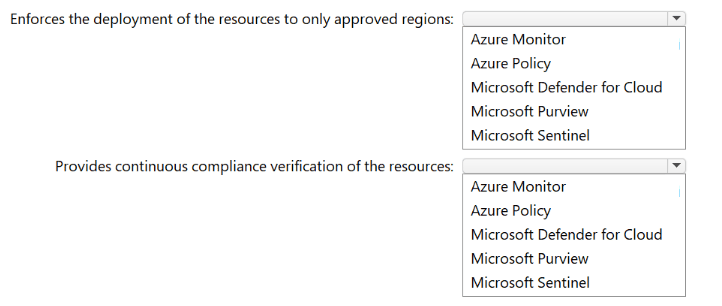
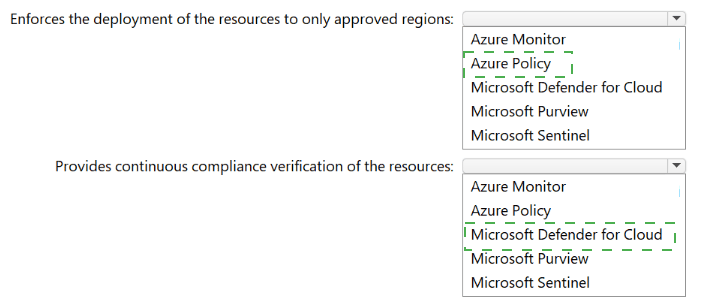
Azure Policy → Enforces resource compliance rules (e.g., allowed regions), but does not monitor runtime compliance or performance.
Azure Stream Analytics → Real-time data stream processing, unrelated to model monitoring.
Microsoft Defender → Security threat protection (e.g., vulnerability assessment), not compliance or performance metrics for OpenAI models.

Reference:
Microsoft Learn – “Monitor Azure OpenAI Service” – Use Azure Monitor for performance metrics.
Microsoft Learn – “Microsoft Purview for AI governance” – Use Purview for compliance monitoring of AI apps and agents.

A company processes invoices stored across multiple systems in multiple formats.

You need to implement an Al solution to automate the invoice processing. The solution must meet the following requirements:

• Automate multi-step invoice processing tasks, including document analysis, data validation, and approval routing.

• Enable users to interact directly via Microsoft Teams to review and approve invoices.

• Minimize development efforts to define and customize approval workflows.

What should you include in the solution?

A. Azure Document Intelligence in Foundry Tools and Azure Logic Apps

B. Microsoft Copilot Studio and Al Builder

C. Azure OpenAI and Azure Functions

D. a SharePoint agent

B.   Microsoft Copilot Studio and Al Builder

Explanation:
The solution requires multi-step automation (analysis → validation → approval), Teams interaction for approvals, and minimal development effort for workflow customization. Microsoft Copilot Studio enables conversational approval in Teams, while AI Builder (with prebuilt invoice processing models) handles document analysis without custom code. Option A (Document Intelligence + Logic Apps) requires more development; C (OpenAI + Functions) is code-heavy.

Correct Option:

B. Microsoft Copilot Studio and AI Builder
AI Builder provides prebuilt invoice processing (extract fields, validate data) with low-code.
Copilot Studio creates a Teams agent for users to review and approve invoices conversationally.
Power Automate (integrated with both) handles approval routing with minimal customization.
Meets all three requirements with least development effort.

Incorrect Options:

A. Azure Document Intelligence in Foundry Tools and Azure Logic Apps
Document Intelligence analyzes invoices, but Logic Apps requires manual workflow definition (higher effort than AI Builder + Copilot Studio).
No native Teams approval agent; requires custom Teams integration code.

C. Azure OpenAI and Azure Functions
Fully custom development (Python/C#) for invoice extraction, validation, and Teams approval.
High development effort, violating “minimize development efforts.”

D. A SharePoint agent
SharePoint agents lack invoice processing AI and multi-step approval orchestration.
Cannot automate document analysis or validation natively.

Reference:
Microsoft Learn – “Invoice processing with AI Builder and Copilot Studio” – Prebuilt models + conversational approvals minimize development.
Microsoft Learn – “Copilot Studio for Teams approvals” – Native Teams integration for review and approval workflows.

A company uses multiple Microsoft Copilot Studio agents across different channels.

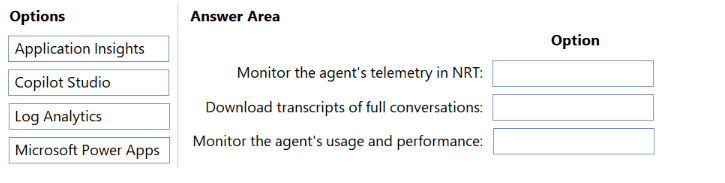
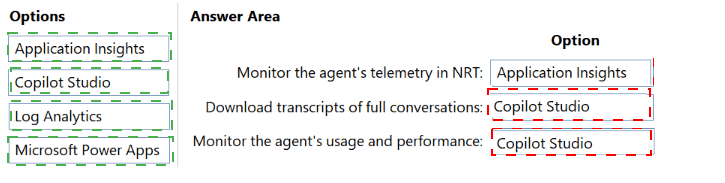
You need to recommend a monitoring solution that provides comprehensive telemetry data and performance insights for the agents.

What should you include in the recommendation?

A. Application Insights

B. Azure Advisor

C. Azure DevOps

D. Microsoft Dynamics 365 Customer Voice

A.   Application Insights

Explanation:
To monitor multiple Copilot Studio agents across channels with comprehensive telemetry (response times, error rates, conversation volumes, fallback triggers), Application Insights integrates natively with Copilot Studio via Analytics. It provides end-to-end performance insights, custom event tracking, and queryable logs. Azure Advisor (B) gives optimization recommendations, not telemetry. Azure DevOps (C) is for CI/CD. Customer Voice (D) is for surveys.

Correct Option:

A. Application Insights
Native integration with Copilot Studio (enable in agent settings → Analytics).
Captures detailed telemetry: session counts, response latency, error rates, and custom events.
Supports Kusto queries and dashboards for performance insights across multiple agents and channels.

Incorrect Options:

B. Azure Advisor
Provides personalized best-practice recommendations (cost, security, reliability).
Does not offer real-time telemetry or performance metrics for Copilot Studio agents.

C. Azure DevOps
Application lifecycle management (CI/CD, boards, repos, pipelines).
Not a monitoring or telemetry solution for runtime agent performance.

D. Microsoft Dynamics 365 Customer Voice
A feedback and survey tool for customer satisfaction.
Does not provide system telemetry like response times, error rates, or usage analytics.

Reference:
Microsoft Learn – “Copilot Studio analytics with Application Insights” – Enable Application Insights to get comprehensive telemetry and performance insights.
Microsoft Learn – “Monitor Copilot Studio agents” – Application Insights is the recommended monitoring solution for production agents.

A financial services company uses Microsoft Dynamics 365 Finance.

Currently, the company's support staff manually reviews customer transaction histories to detect potential fraud cases before escalating the cases.

You need to recommend an automation solution for the review process. The solution must ensure that escalations reach a human analyst for final decision making. What should you recommend?

A. Deploy an autonomous agent that closes non-fraud cases automatically.

B. Use Microsoft 365 Copilot in Word to automatically finalize fraud detection policies.

C. Configure a task agent to generate fraud risk scores for the human analyst to review.

D. Export the data to a data lake for analysis in Microsoft Power BI.

C.   Configure a task agent to generate fraud risk scores for the human analyst to review.

Explanation:
The requirement is to automate the review process but ensure escalations reach a human analyst for final decision. A task agent that generates fraud risk scores (e.g., low/medium/high) allows humans to focus on high-risk cases while automation handles low-risk screening. Autonomous agents closing cases (A) removes human final decision, violating the requirement.

Correct Option:

C. Configure a task agent to generate fraud risk scores for the human analyst to review.
Task agents automate the initial review (scoring) but keep humans in the loop for final decisions.
Scores help analysts prioritize escalations.
Meets both automation and “human final decision” requirements.

Incorrect Options:

A. Deploy an autonomous agent that closes non-fraud cases automatically.
Autonomous closure removes human review entirely, violating “escalations reach a human analyst for final decision.”
Even non-fraud cases may need human confirmation in financial services.

B. Use Microsoft 365 Copilot in Word to automate fraud detection policies.
Copilot in Word drafts policy documents, not transaction review or fraud escalation.
Does not address the operational review process.

D. Export data to a data lake for analysis in Power BI.
Power BI provides dashboards and analytics but does not automate the review or escalation workflow.
Still requires manual transaction review by support staff.

Reference:
Microsoft Learn – “Task agents in Dynamics 365 Finance” – Generate risk scores for human-in-the-loop decision making.
Microsoft Learn – “Human-in-the-loop AI for fraud detection” – Final decisions require human analysts in regulated financial services.

A company has Microsoft Power Platform development staging, and production environments. Each environment has its own Microsoft Dataverse tables and Azure Al Search index.

You are designing an application lifecycle management (ALM) process to deploy a Microsoft Copilot Studio agent between the environments.

The company has a Copilot Studio agent named Agent! in development. Agent1 uses the following grounding data sources:

• A Dataverse table named CustomerOrders

• An Azure Al Search index named customer-knowledge

You need to deploy Agent1 to production. The solution must ensure that the agent uses the production grounding data sources, minimizes downtime, and handles credentials and endpoints securely.

What should you include in the deployment package solution, and what should you reconfigure after the deployment? To answer, select the appropriate options in the answer area.

NOTE: Each correct selection is worth one point.


Explanation:
Agent1 uses Dataverse and Azure AI Search as grounding sources, which differ per environment (dev/staging/production). You should include the agent and references to the data sources (not hardcoded connections) in the solution, then reconfigure environment variables after deployment to point to production-specific endpoints and credentials securely without modifying the package.

Correct Options:

Include in the deployment package solution:

Agent1 and references to the data sources
The agent logic (topics, prompts, actions) plus abstract references to CustomerOrders (Dataverse) and customer-knowledge (AI Search).
Do not include actual connections or hardcoded endpoints, as those differ per environment.
Enables portability across dev → staging → production.

Reconfigure after the deployment:

The environment variables
Environment variables store connection references, endpoints, keys, and table/index names per environment.
After import to production, update variables to point to production Dataverse table and production AI Search index.
No need to rebuild the agent; handles credentials and endpoints securely.

Incorrect Options (excluded):

For deployment package:
Agent1 only → Missing data source references; agent cannot find grounding sources.

The data sources only → No agent logic.
Agent1 and the data source connections → Connections are environment-specific; including them breaks portability.
Agent1, the data sources, and data source connections → Same problem; hardcoded connections fail in production.

For reconfigure after deployment:
The Dataverse connection only → Ignores Azure AI Search reconfiguration.
The Azure AI Search connection only → Ignores Dataverse reconfiguration.
Both connections → Connections can be repointed, but environment variables are the standard ALM pattern for both data sources plus other settings.
Agent1 configuration → Reconfiguring agent itself is manual and error-prone; environment variables are cleaner.

Reference:
Microsoft Learn – “ALM for Copilot Studio agents with Dataverse and AI Search” – Use solution with references + environment variables for cross-environment deployment.
Microsoft Learn – “Environment variables in Power Platform” – Securely store connection references and endpoints per environment.

Page 1 out of 6 Pages
12

Agentic AI Business Solutions Architect Practice Exam Questions