Topic 3: Misc. Questions Set

You have an Azure event hub. Each event contains the following fields:
BikepointID
Street
Neighbourhood
Latitude
Longitude
No_Bikes
No_Empty_Docks
You need to ingest the events. The solution must only retain events that have a Neighbourhood value of Chelsea, and then store the retained events in a Fabric lakehouse. What should you use?

A. a KQL queryset

B. an eventstream

C. a streaming dataset

D. Apache Spark Structured Streaming

B.   an eventstream

Summary:
This question involves real-time data ingestion from Azure Event Hubs into a Fabric lakehouse with a specific filtering requirement. The solution needs to connect to the event hub, filter events based on a condition (Neighbourhood == 'Chelsea'), and write the results to the lakehouse. This requires a service capable of handling streaming data and applying transformation logic in near real-time.

Correct Option:

B. an eventstream
An eventstream in Fabric is a dedicated service for ingesting, transforming, and routing real-time event data. It has a built-in connector for Azure Event Hubs. You can add a Filter transformation operator directly within the eventstream to retain only events where Neighbourhood equals "Chelsea". Finally, you can route the filtered output to a lakehouse destination. This provides a low-code, UI-driven solution that perfectly meets all the stated requirements.

Incorrect Options:

A. a KQL queryset
A KQL queryset is used to query data that is already stored in a KQL database within Fabric. It is not a data ingestion tool and cannot natively read directly from an Azure Event Hub to land data into a lakehouse. Its role is analysis, not ETL/ELT.

C. a streaming dataset
A streaming dataset in Fabric is primarily a destination for data that will be used in Power BI real-time dashboards. It is not designed for transforming and storing raw event data in a lakehouse for broader data engineering purposes. It lacks the transformation capabilities (like filtering) needed before storage.

D. Apache Spark Structured Streaming
While this is a technically feasible option using code in a notebook, it is not the best answer. An eventstream provides the same underlying capability but through a managed, low-code interface that is simpler to configure and manage for a straightforward filter-and-store task. The question does not specify a requirement for custom code, so the platform-native, no-code tool (eventstream) is the preferred solution.

Reference:
Microsoft Official Documentation: What is eventstream in Microsoft Fabric?

You are building a data orchestration pattern by using a Fabric data pipeline named Dynamic Data Copy as shown in the exhibit. (Click the Exhibit tab.)


Dynamic Data Copy does NOT use parametrization.
You need to configure the ForEach activity to receive the list of tables to be copied.
How should you complete the pipeline expression? To answer, select the appropriate options in the answer area.
NOTE: Each correct selection is worth one point.


Summary:
This question involves configuring a Fabric Data Factory pipeline. A Lookup activity is used to retrieve a list of objects (schemas and tables), and a ForEach activity is needed to loop over that list. The Lookup activity's result is stored in its output, and the ForEach activity must be configured to consume this output correctly to iterate through each item in the list.

Correct Option Explanations
@activity('Lookup Schema and Table').output.value

This is the correct expression to retrieve the list of items for the ForEach loop.

activity('Lookup Schema and Table') references the preceding Lookup activity by its name.

.output accesses the result set produced by that activity.

.value is the specific property that contains the array (list) of records returned by the Lookup. The ForEach activity requires an array to iterate over, making .value the necessary final part of the expression.

Incorrect Option Explanations

Other output properties:

output:
This refers to the entire output object of the Lookup activity, which includes metadata like execution count and status, not just the data array. The ForEach activity cannot iterate over this full object.

output.count:
This property returns a single integer representing the number of records in the result set. It is a scalar value, not an array, so it cannot be used for iterating through individual items.

output.pipelineReturnValue:
This is not a standard property of a Lookup activity's output. It might be used in other contexts, such as the return value of an Execute Pipeline activity, but not for the result set of a Lookup.

Activity Names:
Batch Object Copy, Dynamic Data Copy, Extraction Loop: These are the names of other activities or the pipeline itself. The expression must reference the specific Lookup activity that produces the list, which is named Lookup Schema and Table.

Reference:
Microsoft Official Documentation: Lookup activity in Azure Data Factory and Azure Synapse Analytics

Microsoft Official Documentation: ForEach activity in Azure Data Factory

You have a Fabric workspace that contains a warehouse named Warehouse1.
While monitoring Warehouse1, you discover that query performance has degraded during the last 60 minutes.
You need to isolate all the queries that were run during the last 60 minutes. The results must include the username of the users that submitted the queries and the query statements. What should you use?

A. the Microsoft Fabric Capacity Metrics app

B. views from the queryinsights schema

C. Query activity

D. the sys.dm_exec_requests dynamic management view

B.   views from the queryinsights schema

Summary:
This question requires detailed, query-level diagnostics for a Fabric Warehouse to troubleshoot a specific performance degradation. You need to identify the exact queries, who ran them, and their text within a precise time window. This requires accessing historical query execution logs with rich metadata, not just high-level resource metrics.

Correct Option:

B. views from the queryinsights schema
The queryinsights schema in a Fabric Warehouse contains a set of dynamic management views (DMVs) designed specifically for this purpose. The queryinsights.exec_requests_history view stores a detailed history of executed queries, including columns like login_name (for the username), command (for the query statement), and submit_time/end_time. You can query this view with a WHERE filter (e.g., WHERE submit_time >= DATEADD(minute, -60, GETDATE())) to isolate all queries from the last 60 minutes, meeting all requirements precisely.

Incorrect Options:

A. the Microsoft Fabric Capacity Metrics app
This Power BI app provides high-level, capacity-wide metrics about resource consumption (e.g., CU/s usage, active operations). It is excellent for monitoring overall capacity health and spend but does not provide the granular, query-level details like the specific query text and the username of the person who submitted it.

C. Query activity
"Query activity" is a general term and not a specific tool within the Fabric admin portal. While there might be a monitoring section showing active or recent queries, the queryinsights DMVs offer a more powerful, flexible, and query-based approach to retrieve and filter the exact historical data needed for this investigation.

D. the sys.dm_exec_requests dynamic management view
The sys.dm_exec_requests DMV is used in SQL Server and Azure SQL Database to view currently executing requests. It does not show a history of queries that have already completed. Since the performance issue occurred over the last 60 minutes and many queries have likely finished, this DMV will not provide the necessary historical data.

Reference:
Microsoft Official Documentation: Query Insights dynamic management views (DMVs)

You have a Fabric warehouse named DW1 that loads data by using a data pipeline named Pipeline1. Pipeline1 uses a Copy data activity with a dynamic SQL source. Pipeline1 is scheduled to run every 15 minutes.
You discover that Pipeline1 keeps failing.
You need to identify which SQL query was executed when the pipeline failed.
What should you do?

A. From Monitoring hub, select the latest failed run of Pipeline1, and then view the output JSON.

B. From Monitoring hub, select the latest failed run of Pipeline1, and then view the input JSON.

C. From Real-time hub, select Fabric events, and then review the details of Microsoft.Fabric.ItemReadFailed.

D. From Real-time hub, select Fabric events, and then review the details of Microsoft. Fabric.ItemUpdateFailed.

B.   From Monitoring hub, select the latest failed run of Pipeline1, and then view the input JSON.

Summary:
This question involves debugging a failing data pipeline in Fabric. The pipeline uses a dynamic SQL source, meaning the exact SQL query being executed is defined at runtime, likely via a parameter or expression. When a pipeline fails, the Monitoring hub provides detailed run history, including the specific input parameters and values passed to each activity, which is essential for replicating and diagnosing the failure.

Correct Option:

B. From Monitoring hub, select the latest failed run of Pipeline1, and then view the input JSON.
The Monitoring hub is the central place to inspect pipeline run history. For a failed run, you can drill into the details of the failed activity (in this case, the Copy data activity). The Input JSON shows the configuration of the activity at the time of the run. Since the source is dynamic SQL, the exact query that was executed—constructed from parameters and expressions—will be visible in this input payload. This allows you to see the problematic SQL command that caused the failure.

Incorrect Options:

A. From Monitoring hub, select the latest failed run of Pipeline1, and then view the output JSON.
The Output JSON of a failed activity typically contains error messages, codes, and stack traces. While this is crucial for understanding why the query failed (e.g., a syntax error or timeout), it usually does not contain the full, executed SQL command. The input is where the source definition, including the dynamic query, is stored.

C. From Real-time hub, select Fabric events, and then review the details of Microsoft.Fabric.ItemReadFailed.

D. From Real-time hub, select Fabric events, and then review the details of Microsoft. Fabric.ItemUpdateFailed.
The Real-time hub and Fabric events are used for event-driven architectures and auditing high-level workspace activities. Events like ItemReadFailed or ItemUpdateFailed are too granular and general for this task. They might indicate that a pipeline run failed but will not provide the detailed, activity-level input information (like the dynamic SQL query) needed to diagnose this specific data movement error.

Reference:
Microsoft Official Documentation: Monitor pipeline runs in Microsoft Fabric

You have a Fabric workspace that contains a lakehouse named Lakehouse1. Data is ingested into Lakehouse1 as one flat table. The table contains the following columns.


You plan to load the data into a dimensional model and implement a star schema. From the original flat table, you create two tables named FactSales and DimProduct. You will track changes in DimProduct.
You need to prepare the data.
Which three columns should you include in the DimProduct table? Each correct answer presents part of the solution.
NOTE: Each correct selection is worth one point.

A. Date

B. ProductName

C. ProductColor

D. TransactionID

E. SalesAmount

F. ProductID

B.   ProductName
C.   ProductColor
F.   ProductID

Summary:
This question tests your understanding of the star schema dimensional model. A star schema consists of fact tables (containing business measurements and foreign keys) and dimension tables (containing descriptive context). The DimProduct table is a dimension table, so it must contain the descriptive attributes about products. It must also include the business key (ProductID) to uniquely identify a product and to serve as the join key for the FactSales table.

Correct Options:

B. ProductName
This is a descriptive attribute of a product. In a dimension table, you include all the descriptive fields that users will want to filter by or group by when analyzing the facts. ProductName is a core descriptive property of a product entity.

C. ProductColor
Similar to ProductName, ProductColor is a descriptive attribute that provides context about the product. It belongs in the dimension table so analysts can slice sales data by product color.

F. ProductID
This is the primary key for the DimProduct dimension table. It uniquely identifies each product. This same ProductID will appear as a foreign key in the FactSales table to create the relationship between facts and the product dimension. It is essential for both the table's structure and for joining the tables.

Incorrect Options:

A. Date
Date is a key business context, but it belongs in its own dimension table, DimDate. It would be a foreign key in the FactSales table, not in the DimProduct table.

D. TransactionID
TransactionID is a unique identifier for a sales transaction. This is a measure or event identifier and is the natural primary key for the FactSales table. It does not describe a product and has no place in the DimProduct dimension.

E. SalesAmount
SalesAmount is a numerical measurement of a business event (a sale). This is a classic fact or measure and must be stored in the FactSales table. Placing it in a dimension table would violate the principles of a star schema.

Reference:
Microsoft Official Documentation: Dimensional modeling - While this link is for Power BI, the concepts of star schema and dimensional modeling are universal across data warehousing, including Fabric.

You have three users named User1, User2, and User3. You have the Fabric workspaces shown in the following table.


You have a security group named Group1 that contains User1 and User3. The Fabric admin creates the domains shown in the following table.


User1 creates a new workspace named Workspace3.
You add Group1 to the default domain of Domain1.
For each of the following statements, select Yes if the statement is true. Otherwise, select No.
NOTE: Each correct selection is worth one point.
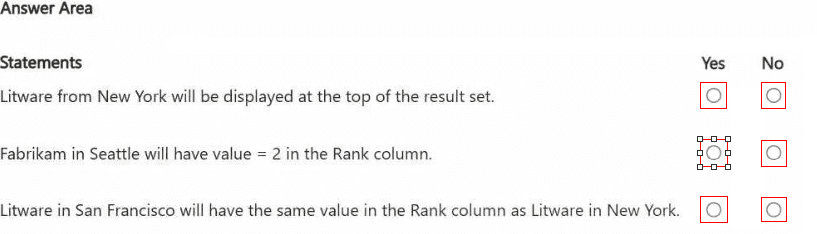


Summary
This question tests the interaction between Fabric domains and workspace permissions. A domain is a security and governance boundary that contains workspaces. Permissions can be assigned at the domain level, which are then inherited by the workspaces within that domain. The default domain is the specific domain where new workspaces are automatically placed if no other is specified. The key is to track who creates the workspace (becoming the Admin) and how domain-level permissions assigned to a group propagate to the workspaces within that domain.

Correct Option Explanations

1. User3 has Viewer role access to Workspace3.

Answer: Yes
User1 created Workspace3, making them its admin. Because no other domain was specified, Workspace3 is placed in the default domain of Domain1.

Group1 (containing User1 and User3) was added to the default domain of Domain1. When a group is added to a domain, its members inherit a specific role across all workspaces in that domain.

The question does not specify the role, but the most logical default inheritance that would give User3 access is the Viewer role. Therefore, through domain inheritance, User3 gains Viewer access to Workspace3. User1, as the creator, is the Admin.

2. User3 has Domain contributor access to Domain1.

Answer: No
The scenario states that "You add Group1 to the default domain of Domain1." It does not specify which domain role (like Domain Contributor) was assigned to the group. Merely being added to a domain does not automatically grant a specific administrative role like Domain Contributor. Domain Contributor is a high-level permission for managing the domain itself. Without an explicit assignment of this role, we must assume User3 does not have it.

3. User2 has Contributor role access to Workspace3.

Answer: No
User2 is not in Group1. User2 has no direct assignment to Workspace3 and is not the workspace admin. Furthermore, User2 is not a Domain Admin for Domain1 (User1 is the Domain1 admin). Therefore, User2 has no inherited or direct permissions to Workspace3 and does not have the Contributor role.

Reference:
Microsoft Official Documentation: Domains in Microsoft Fabric

Microsoft Official Documentation: How domain roles work

You have a Fabric workspace that contains a warehouse named Warehouse1. Data is loaded daily into Warehouse1 by using data pipelines and stored procedures.
You discover that the daily data load takes longer than expected.
You need to monitor Warehouse1 to identify the names of users that are actively running queries.
Which view should you use?

A. sys.dm_exec_connections

B. sys.dm_exec_requests

C. queryinsights.long_running_queries

D. queryinsights.frequently_run_queries

E. sys.dm_exec_sessions

E.   sys.dm_exec_sessions

Summary:
This question requires real-time monitoring to see which users are actively running queries right now in the Fabric Warehouse. The solution needs to provide a live view of current sessions and the users associated with them. This is distinct from looking at historical query performance or aggregated patterns.

Correct Option:

E. sys.dm_exec_sessions
This Dynamic Management View (DMV) returns one row per authenticated session in the Fabric Warehouse. It includes columns like login_name which directly shows the username of the user connected to that session. By querying this view, you can get a list of all users who are currently connected and have active sessions, which is the precise requirement for identifying users who are actively running queries.

Incorrect Options:

A. sys.dm_exec_connections
This DMV shows information about the network connections established to the database. While it can provide connection-level details, it is less directly tied to the user context and the specific session running queries compared to sys.dm_exec_sessions. The session view is more appropriate for identifying users.

B. sys.dm_exec_requests
This DMV shows information about each currently executing request within the Warehouse. While it can show the user for active queries, it will not show users who are connected (have a session) but are not currently running a query (e.g., their query has finished or they are idle). sys.dm_exec_sessions gives the broader view of all active users.

C. queryinsights.long_running_queries
This is a pre-aggregated view designed for analyzing historical performance of queries that are typically slow. It is not for real-time monitoring and does not provide a simple list of currently active users.

D. queryinsights.frequently_run_queries
Similar to the long-running queries view, this is an aggregated view for identifying queries that run often over a period of time. It is used for performance tuning, not for real-time monitoring of active user sessions.

Reference:
Microsoft Official Documentation: sys.dm_exec_sessions (Azure SQL Database and Microsoft Fabric)

You have a Fabric warehouse named DW1. DW1 contains a table that stores sales data and is used by multiple sales representatives.
You plan to implement row-level security (RLS).
You need to ensure that the sales representatives can see only their respective data.
Which warehouse object do you require to implement RLS?

A. ISTORED PROCEDURE

B. CONSTRAINT

C. SCHEMA

D. FUNCTION

D.   FUNCTION

Summary:
This question focuses on the technical components required to implement Row-Level Security (RLS) in a Fabric Warehouse. RLS works by automatically applying a filter predicate to queries on a table. This filter is defined within a security policy, and the core logic that determines which rows a user can access is encapsulated in a specific type of database object.

Correct Option:

D. FUNCTION
Specifically, an inline table-valued function is required to implement RLS. This function contains the security logic (the predicate), such as WHERE SalesRepName = USER_NAME(). The CREATE SECURITY POLICY statement then ADDs a FILTER PREDICATE that references this function. The function is the essential component that defines the row-access rules.

Incorrect Options:

A. STORED PROCEDURE
Stored procedures are used to encapsulate and execute batches of T-SQL code. They cannot be used as the filter predicate within a CREATE SECURITY POLICY statement. The RLS predicate must be defined within an inline table-valued function.

B. CONSTRAINT
Constraints (like CHECK, FOREIGN KEY) are used to enforce data integrity rules, not to dynamically filter data based on the user executing a query. They are not involved in the implementation of RLS.

C. SCHEMA
A schema is a container used to organize and group database objects (tables, views, functions) for manageability and security. While the function and table involved in RLS reside within schemas, the schema itself is not the object that implements the security logic.

Reference:
Microsoft Official Documentation: Row-Level Security - This documentation explicitly states: "Row-Level Security... uses the CREATE SECURITY POLICY statement, and inline table-valued functions created with the CREATE FUNCTION statement."

You have a Fabric workspace that contains a lakehouse named Lakehouse1.
In an external data source, you have data files that are 500 GB each. A new file is added every day.
You need to ingest the data into Lakehouse1 without applying any transformations. The solution must meet the following requirements
Trigger the process when a new file is added.
Provide the highest throughput.
Which type of item should you use to ingest the data?

A. Event stream

B. Dataflow Gen2

C. Streaming dataset

D. Data pipeline

D.   Data pipeline

Summary:
This question involves ingesting very large (500 GB) raw data files into a lakehouse. The key requirements are high-throughput data movement, no transformation, and a trigger based on the arrival of a new file. This scenario describes a classic bulk data ingestion pattern that requires orchestration and scheduling capabilities, which is the primary purpose of a data pipeline.

Correct Option:

D. Data pipeline
A data pipeline in Fabric is the correct tool for orchestrating and executing high-volume data copy operations. It can be triggered by a schedule or, crucially, by an event (such as a new file arriving in cloud storage). The Copy Data activity within a pipeline is specifically optimized for moving large amounts of data with high throughput from a source to a destination without transformation. This directly meets all the requirements.

Incorrect Options:

A. Event stream
An eventstream is designed for processing high-velocity, low-latency streaming data from sources like Azure Event Hubs or IoT Hub. It is not built for efficiently copying massive 500 GB batch files. Its throughput and use case are geared towards real-time event processing, not scheduled or event-triggered bulk file ingestion.

B. Dataflow Gen2
A Dataflow Gen2 is a powerful transformation tool that uses a Power Query engine. While it can copy data, its primary strength is in applying complex data shaping logic. Using it for a simple "no transformations" copy of a 500 GB file is inefficient and would not provide the highest possible throughput compared to the dedicated Copy Data activity in a pipeline.

C. Streaming dataset
A streaming dataset is a destination for data that will be visualized in a Power BI real-time dashboard. It is not a data ingestion or orchestration tool for landing large raw files in a lakehouse. It is an endpoint for small, frequently updated data, not a 500 GB daily file.

Reference:
Microsoft Official Documentation: Copy data using the Copy Data activity

Microsoft Official Documentation: Event-based triggers in Azure Data Factory

You have a Fabric workspace named Workspacel that contains the following items:

• A Microsoft Power Bl report named Reportl
• A Power Bl dashboard named Dashboardl
• A semantic model named Modell
• A lakehouse name Lakehouse1

Your company requires that specific governance processes be implemented for the items.
Which items can you endorse in Fabric?

A. Lakehouse1, Modell, and Dashboard1 only

B. Lakehouse1, Modell, Report1 and Dashboard1

C. Report1 and Dashboard1 only

D. Model1, Report1, and Dashboard1 only

E. Lakehouse1, Model1, and Report1 only

D.   Model1, Report1, and Dashboard1 only

Summary:
This question tests your knowledge of the Endorsement governance feature in Microsoft Fabric. Endorsement allows admins and experts to promote high-quality, trusted items to other users in the organization. It's a way to signal that an item is reliable and approved for use. However, not all item types within a workspace are eligible for this specific governance action.

Correct Option:

D. Model1, Report1, and Dashboard1 only
In Microsoft Fabric, the endorsement feature is available for specific Power BI artifacts and semantic models. You can endorse:

Semantic Models (Model1):
Promoting a trusted data model for building reports.

Power BI Reports (Report1):
Marking a report as certified or promoted.

Power BI Dashboards (Dashboard1):
Endorsing a dashboard as a trusted source of information.

Lakehouses and other data engineering items are not subject to the Power BI-centric "endorsement" governance process.

Incorrect Options:

A. Lakehouse1, Modell, and Dashboard1 only:
Incorrect because it includes the lakehouse, which cannot be endorsed, and excludes the report, which can be.

B. Lakehouse1, Modell, Report1 and Dashboard1:
Incorrect because it includes the lakehouse, which cannot be endorsed.

C. Report1 and Dashboard1 only:
Incorrect because it excludes the semantic model (Modell), which is a primary item for endorsement.

E. Lakehouse1, Model1, and Report1 only:
Incorrect because it includes the lakehouse and excludes the dashboard.

Reference:
Microsoft Official Documentation: Endorsement in Power BI - While this documentation is from the Power BI perspective, it defines the scope of endorsable items (datasets/reports/dashboards), which correspond to Semantic Models, Reports, and Dashboards in Fabric.

Page 2 out of 10 Pages
DP-700 Practice Test

Are You Truly Prepared?

Don't risk your exam fee on uncertainty. Take this definitive practice test to validate your readiness for the Microsoft DP-700 exam.