Topic 4: Mix Questions Set
Your company is building a new web application.
You plan to collect feedback from pilot users on the features being delivered.
All the pilot users have a corporate computer that has Google Chrome and the Microsoft
Test & Feedback extension installed. The pilot users will test the application by using
Chrome.
You need to identify which access levels are required to ensure that developers can
request and gather feedback from the pilot users. The solution must use the principle of
least privilege.
Which access levels m Azure DevOps should you identify? To answer, select the
appropriate options in the answer area
NOTE: Each correct selection is worth one point.
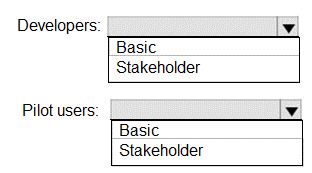
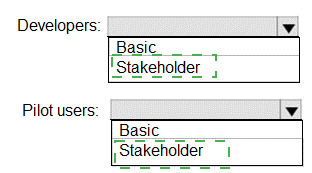
Box 1: Basic
Assign Basic to users with a TFS CAL, with a Visual Studio Professional subscription, and
to users for whom you are paying for Azure Boards & Repos in an organization.
Box 2: Stakeholder
Assign Stakeholders to users with no license or subscriptions who need access to a limited
set of features.
Note:
You assign users or groups of users to one of the following access levels:
Basic: provides access to most features
VS Enterprise: provides access to premium features
Stakeholders: provides partial access, can be assigned to unlimited users for free
You have an Azure subscription that contains the resources shown in the following table.
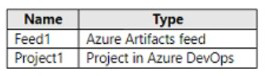
Project1 produces 9pm packages that are published to Feed 1. Feed1 is consumed by
multiple projects.
You need to ensure that only tested packages are available for consumption. The solution
must minimize development effort.
What should you do?
A. Create a feed view named @default. After the 9pm packages test successfully, configure a release pipeline that promotes a package to the @default view.
B. Create a feed view named release and set @release as the default view. After the 9pm packages test successfully, configure a release pipeline that promotes a package to the @release View.
C. Create a feed view named @release and set @release as the default view. After the 9pm packages test successfully, configure a release pipeline that tags the packages as release.
D. Create a feed view named @default. After the 9pm packages test successfully. configure a release pipeline that tags the packages as release.
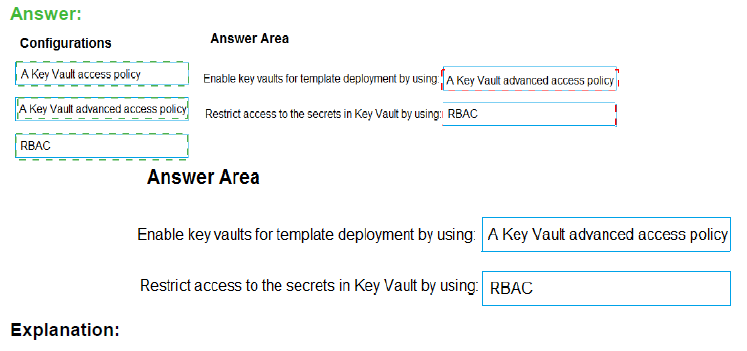
Your company has a project in Azure DevOps.
You plan to create a release pipeline that will deploy resources by using Azure Resource
Manager templates. The templates will reference secrets stored in Azure Key Vault.
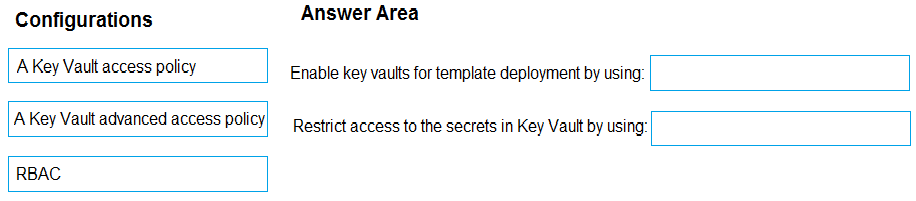
You need to recommend a solution for accessing the secrets stored in the key vault during
deployments. The solution must use the principle of least privilege.
What should you include in the recommendation? To answer, drag the appropriate
configurations to the correct targets. Each configuration may be used once, more than
once, or not at all. You may need to drag the split bar between panes or scroll to view
content.
NOTE: Each correct selection is worth one point.
You have a project in Azure DevOps named Project1 that has a release pipeline in Azure
Pipeline named ReleaseP1.
you need to ensure that when a new release is generated for ReleaseP1, a new release
note document is created. The release notes must contain new features and bug fixes.
Which three actions should you perform in sequence? To answer, move the appropriate
actions from the Most of actions to the answer area and arrange them r the correct order.
NOTE: More than one order of answer choices is correct You will receive credit for any of
the correct orders you select


You have a web app that connects to an Azure SQL Database named db1.
You need to configure db1 to send Query Store runtime statistics to Azure Log Analytics.
To complete this task, sign in to the Microsoft Azure portal.
Answer: See solution below.
Explanation:
To enable streaming of diagnostic telemetry for a single or a pooled database, follow these
steps:
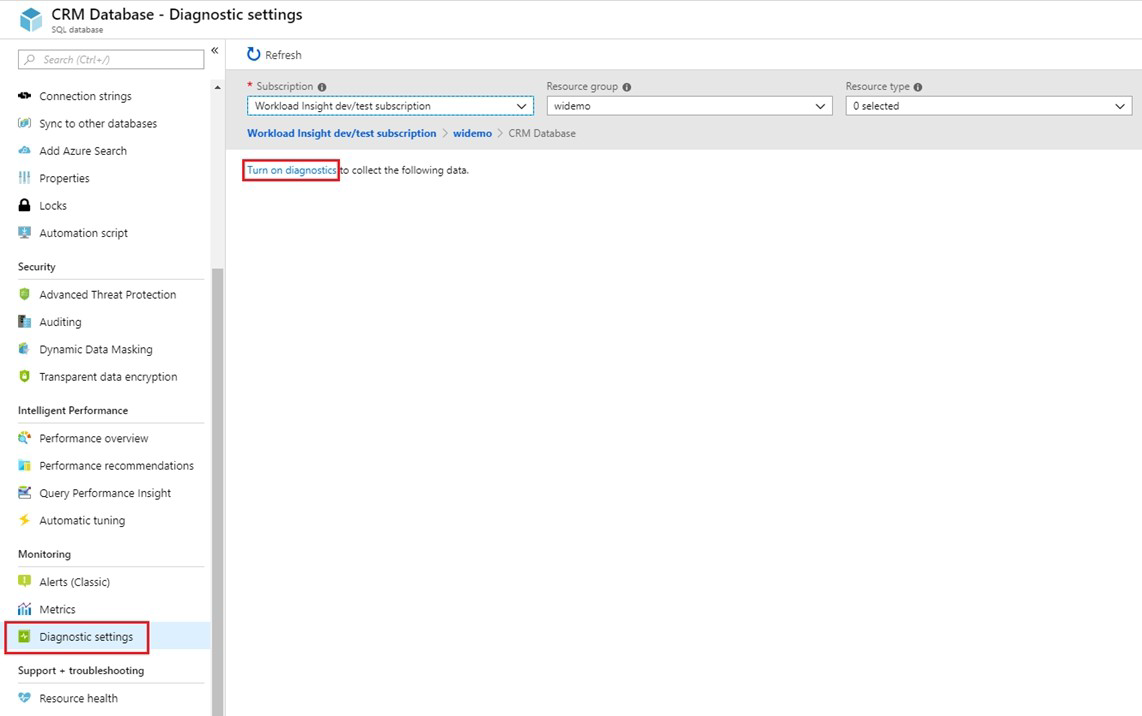
1. Go to Azure SQL database resource.
2. Select Diagnostics settings.
3. Select Turn on diagnostics if no previous settings exist, or select Edit setting to edit a
previous setting. You can create up to three parallel connections to stream diagnostic
telemetry.
4. Select Add diagnostic setting to configure parallel streaming of diagnostics data to
multiple resources.
5. Enter a setting name for your own reference.
6. Select a destination resource for the streaming diagnostics data: Archive to storage
account, Stream to an event hub, or Send to Log Analytics.
7. For the standard, event-based monitoring experience, select the following check boxes
for database diagnostics log telemetry: QueryStoreRuntimeStatistics
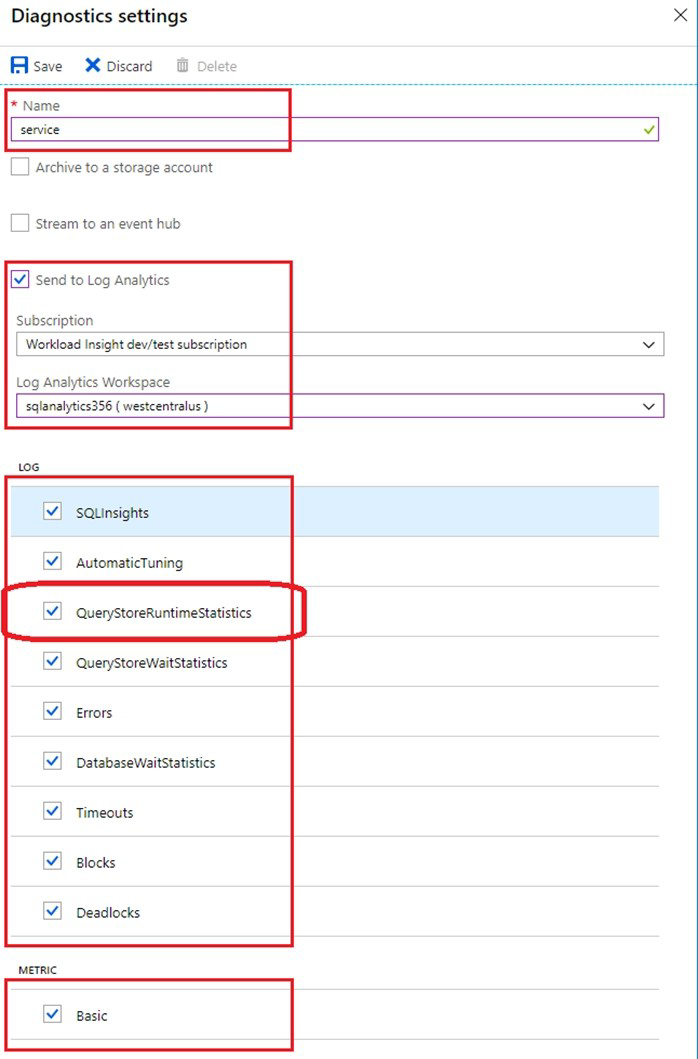
8. For an advanced, one-minute-based monitoring experience, select the check box for
Basic metrics.
9. Select Save.
You need to ensure that the https://contoso.com/statushook webhook is called every time a
repository named az40010480345acr1 receives a new version of an image named
dotnetapp.
To complete this task, sign in to the Microsoft Azure portal.
Answer: See solution below.
Explanation:
Sign in to the Azure portal.
Navigate to the container registry az40010480345acr1.
Under Services, select Webhooks.
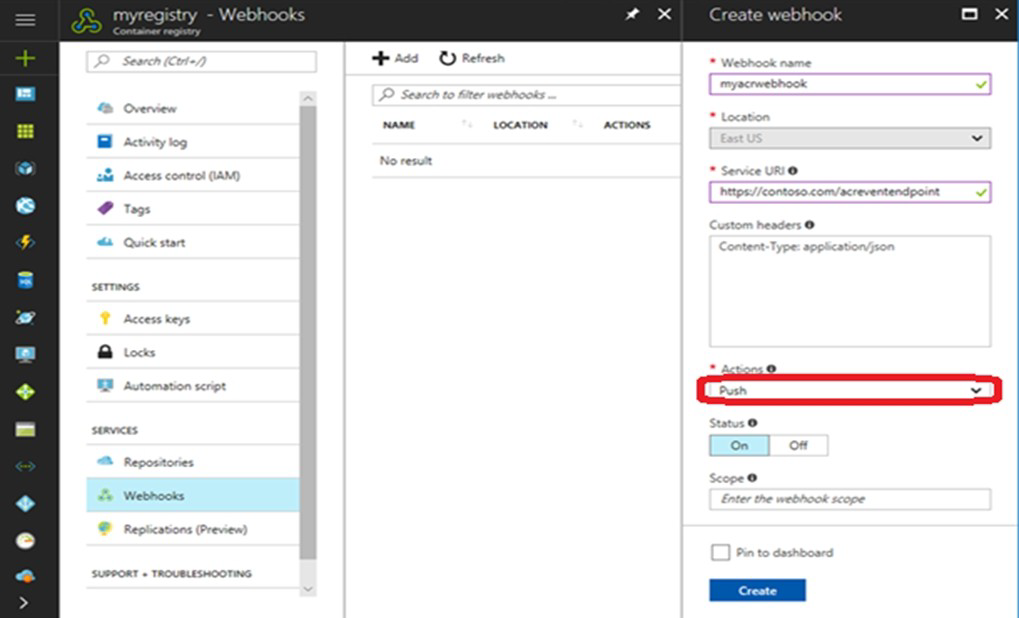
Select the existing webhook https://contoso.com/statushook, and double-click on it to get its properties.
For Trigger actions select image push
Example web hook:
You have an Azure web app named Webapp1.
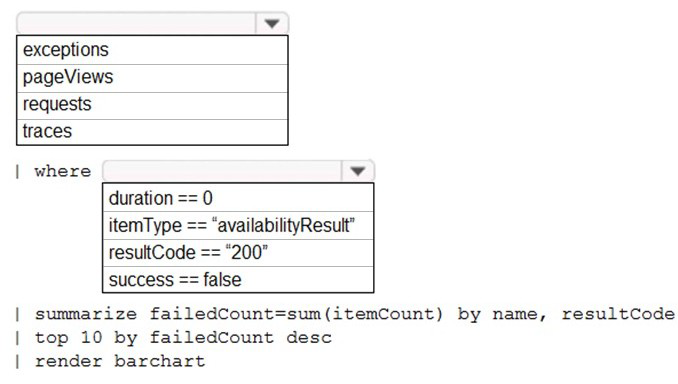
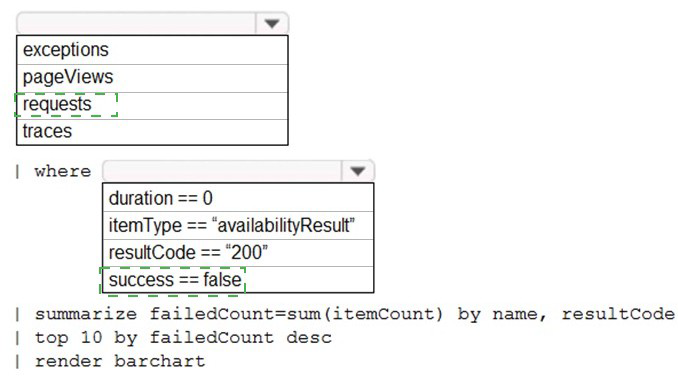
You need to use an Azure Monitor query to create a report that details the top 10 pages of
Webapp1 that failed.
How should you complete the query? To answer, select the appropriate options in the
answer area.
NOTE: Each correct selection is worth one point.
Your company uses GitHub for source control. GitHub repositories store source code and
store process documentation. The process documentation is saved as Microsoft Word
documents that contain simple flow charts stored as .bmp files.
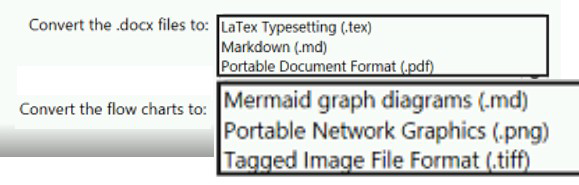
You need to optimize the integration and versioning of the process documentation and the
flow charts. The solution must meet the following requirements:
• Store documents as plain text.
• Minimize the number of files that must be maintained.
• Simplify the modification, merging, and reuse of flow charts.
• Simplify the modification, merging, and reuse of documents.
What should you include in the solution? To answer, select the appropriate options in the
answer area. NOTE: Each correct selection is worth one point.
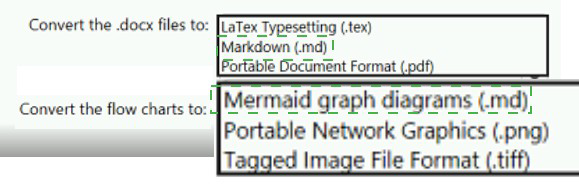
Box 1: Markdown (.md)
Github understands several text formats, including .txt and .md. .md stands for a file written
in Markdown.
Box 2: Mermaid diagrams
Mermaid lets you create diagrams and visualizations using text and code.
It is a Javascript based diagramming and charting tool that renders Markdown-inspired text
definitions to create and modify diagrams dynamically.
You need to use an Azure Pipelines pipeline to build and test an app and test the database
of the app. The solution must meet the following requirements.
• The test stages must be run in parallel.
• The Publish_Test_Results stage must always be run.
• The test stages must be run after successful completion of the build stage.
• The Publish_Test_Results stage must be run after completion of all the test stages
Solution: You include the following elements in the YAML definition of the pipeline.
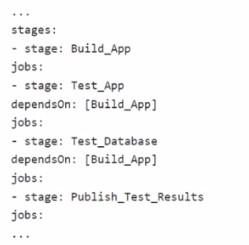
Does this meet the goal?
A. Yes
B. No
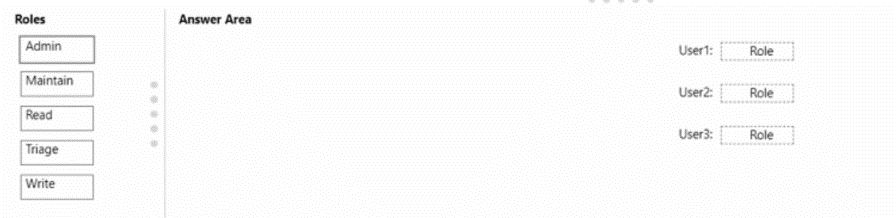
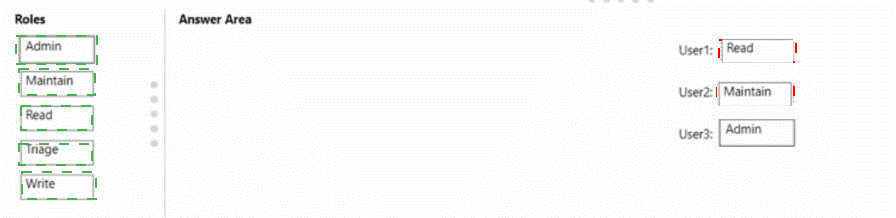
You have a GitHub organization that contains three users named User 1. User2. and
User3. You have a project that contains a repository named repo1. You need to configure
permissions for repo1. The solution must meet the following requirements:
• Ensure that User 1 can actively push to repo1.
• Ensure that Usef2 can manage issues and pull requests for repo1.
• Ensure that User3 can manage repo1.
• Prevent User3 from accessing sensitive data in repo1.
Which role should you assign to each use?
| Page 5 out of 49 Pages |