Topic 4: Mix Questions Set
You manage the Git repository for a large enterprise application.
You need to minimize the data size of the repository.
How should you complete the commands? To answer, select the appropriate options in the answer area.
NOTE: Each correct selection is worth one point.
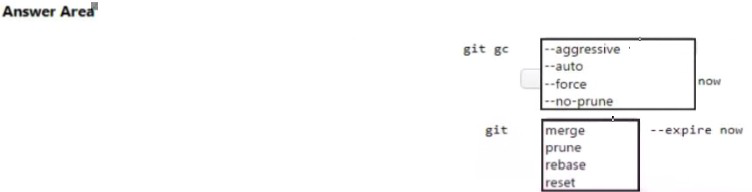
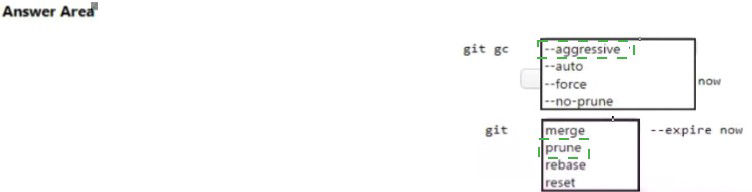
Box 1: --aggressive
Cleanup unnecessary files and optimize the local repository:
get gc --aggressive
Box 2: prune
Prune all unreachable objects from the object database:
git prune
You need to create an instance of Azure Application Insights named az400-9940427-main and configure the instance to receive telemetry data from an Azure web app named az400-9940427-main.
To complete this task, sign in to the Microsoft Azure portal.
Answer: See explanation below
Explanation:
Step 1: Create an instance of Azure Application Insights
1. Open Microsoft Azure Portal
2. Log into your Azure account, Select Create a resource > Developer tools > Application Insights.
3. Enter the following settings, and then select Review + create.
Name: az400-9940427-main
 Step 2: Configure App Insights SDK
1. Open your ASP.NET Core Web App project in Visual Studio > Right-click on the AppName in the Solution Explorer > Select Add > Application Insights Telemetry.
2. Click the Get Started button
3. Select your account and subscription > Select the Existing resource you created in the Azure portal > Click Register.

SIMULATION
You need to create and configure an Azure Storage account named az400lod11566895stor in a resource group named RG1lod11566895 to store the boot diagnostics for a virtual machine named VM1.
To complete this task, sign in to the Microsoft Azure portal.
Answer: See explanation below
Explanation:
Step 1: To create a general-purpose v2 storage account in the Azure portal, follow these steps:
On the Azure portal menu, select All services. In the list of resources, type Storage Accounts. As you begin typing, the list filters based on your input. Select Storage Accounts.
On the Storage Accounts window that appears, choose Add.
Select the subscription in which to create the storage account.
Under the Resource group field, select RG1lod11566895 Next, enter a name for your storage account named: az400lod11566895stor Select Create.
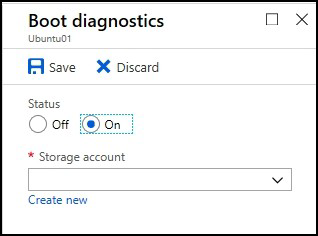
Step 2: Enable boot diagnostics on existing virtual machine To enable Boot diagnostics on an existing virtual machine, follow these steps:
Sign in to the Azure portal, and then select the virtual machine VM1.
In the Support + troubleshooting section, select Boot diagnostics, then select the Settings tab.
In Boot diagnostics settings, change the status to On, and from the Storage account dropdown list, select the storage account az400lod11566895stor.
Your company wants to use Azure Application Insights to understand how user behaviors affect an application.
Which application Insights tool should you use to analyze each behavior? To answer, drag the appropriate tools to the correct behaviors. Each tool may be used once, more than once, or not at all. You may need to drag the split bar between panes or scroll to view content.
NOTE: Each correct selection is worth one point.
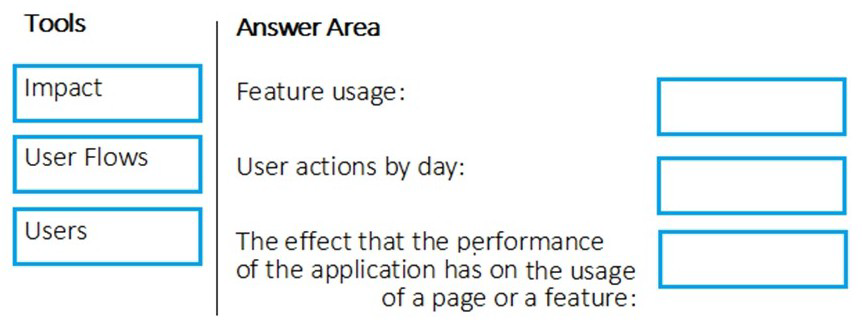
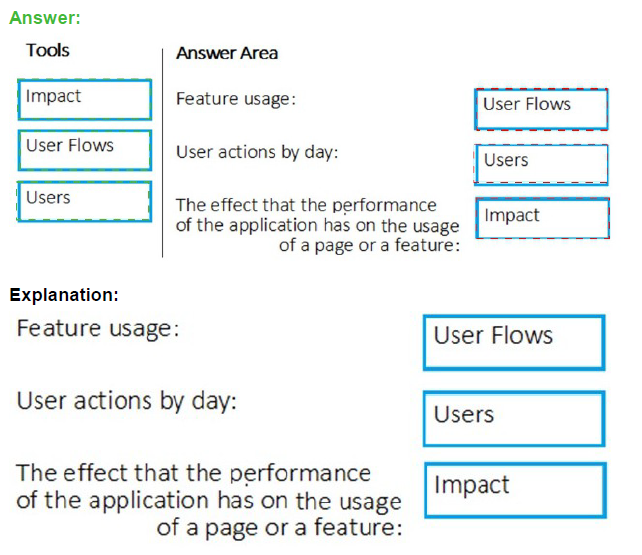
Box 1: User Flows
The User Flows tool visualizes how users navigate between the pages and features of your site. It's great for answering questions like:
How do users navigate away from a page on your site?
What do users click on a page on your site?
Where are the places that users churn most from your site?
Are there places where users repeat the same action over and over?
Box 2: Users
Box 3: Impact
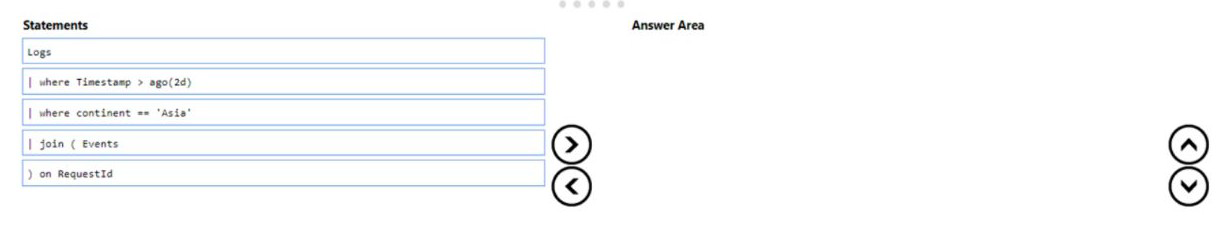
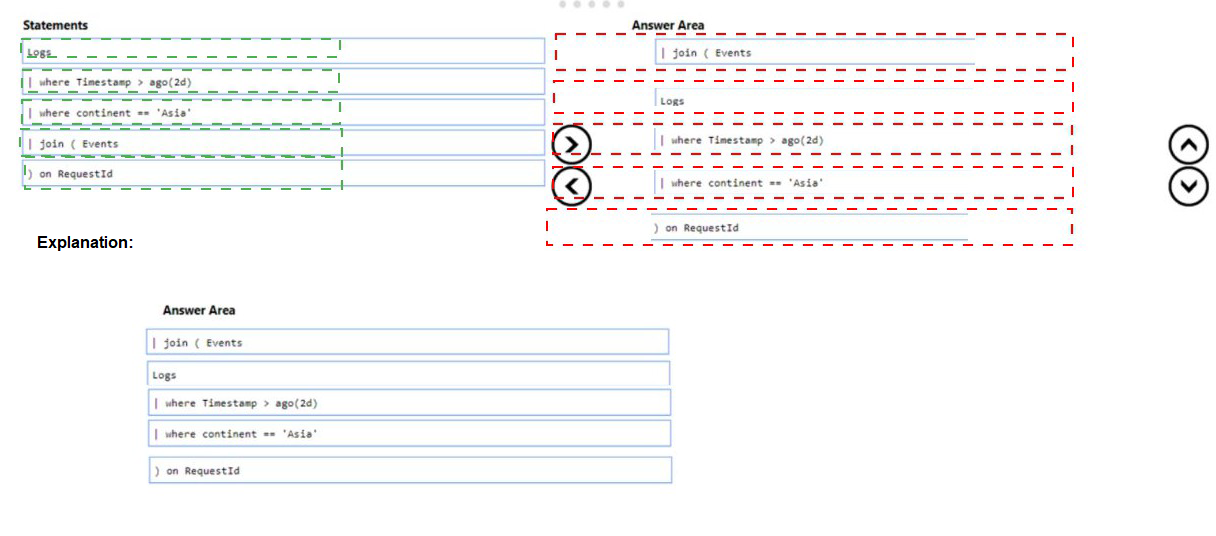
You have an app named App1. You have a Log Analytics workspace named Workspace 1 that contains two tables named Events and Logs. App1 manages events in multiple locations and writes logs to Workspace1.
You need to query Workspace1 for all log entries related to Asia that occurred during the last two days.
In which order should you arrange the query statements? To answer, move all statements from the list of statements to the answer area and arrange them in the correct order.
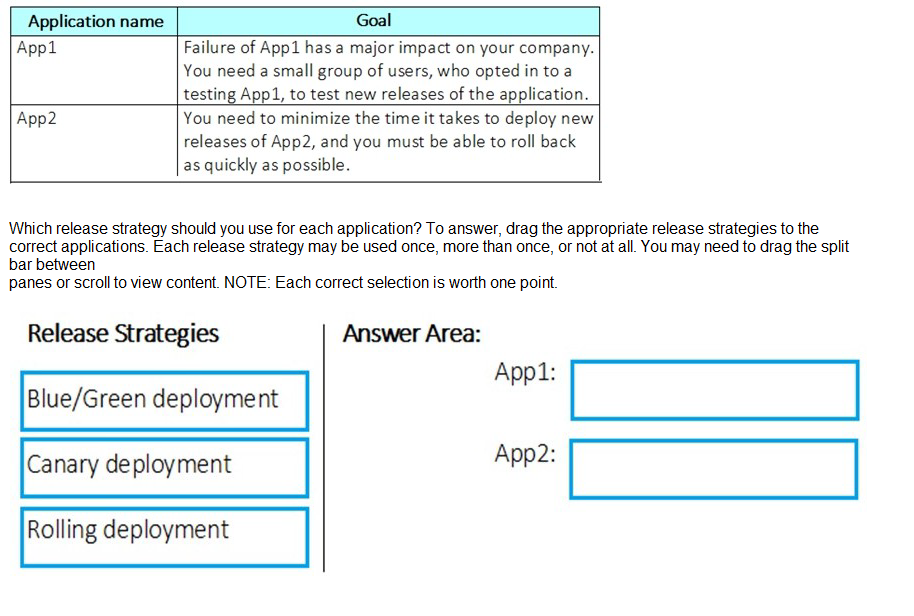
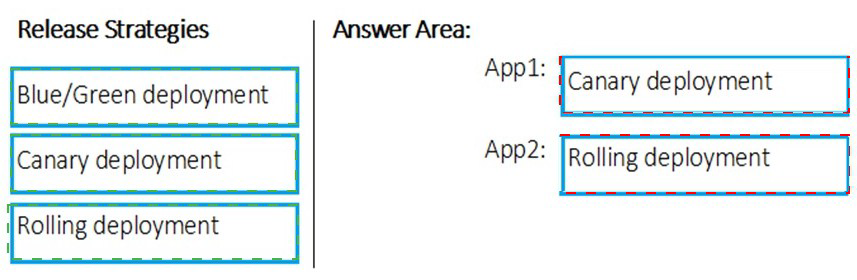
You are defining release strategies for two applications as shown in the following table.
You need to create and configure an Azure Storage account named az400lod11566895stor
in a resource group named RG1lod11566895 to store the boot diagnostics for a virtual machine named VM1.
To complete this task, sign in to the Microsoft Azure portal.
Answer: See solution below.
Explanation:
Step 1: To create a general-purpose v2 storage account in the Azure portal, follow these steps:
On the Azure portal menu, select All services. In the list of resources, type Storage Accounts. As you begin typing, the list filters based on your input. Select Storage Accounts.
On the Storage Accounts window that appears, choose Add.
Select the subscription in which to create the storage account.
Under the Resource group field, select RG1lod11566895 Next, enter a name for your storage account named: az400lod11566895stor Select Create.
Step 2: Enable boot diagnostics on existing virtual machine
To enable Boot diagnostics on an existing virtual machine, follow these steps:
1. Sign in to the Azure portal, and then select the virtual machine VM1.
2. In the Support + troubleshooting section, select Boot diagnostics, then select the Settings tab.
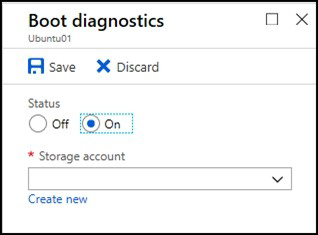
3. In Boot diagnostics settings, change the status to On, and from the Storage account drop-down list, select the storage account az400lod11566895stor.
4. Save the change. You must restart the virtual machine for the change to take effect.
You manage the Git repository for a large enterprise application.
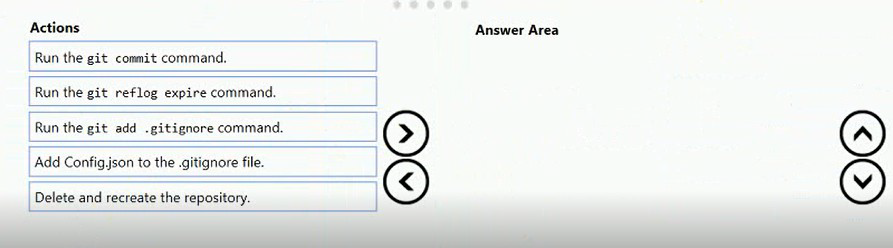
During the development of the application, you use a file named Config.json.
You need to prevent Config.json from being committed to the source control whenever changes to the application are committed.
Which three actions should you perform in sequence? To answer, move the appropriate actions from the list of actions to the answer area and arrange them in the correct order.
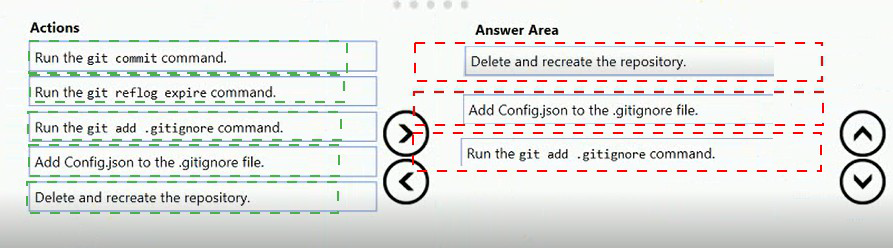 Step 1: Delete and recreate the repository.
Step 2: Add Config.json to the .gitignore file
Each line in the .gitignore excludes a file or set of files that match a pattern.
Example:
# ignore a single file
Config.json
Step 3: Run the git add .gitignore command
At the initial commit we want basically move from Untracked to Staged, for staging we have to indicate which file we want to move or specify a pattern, as example:

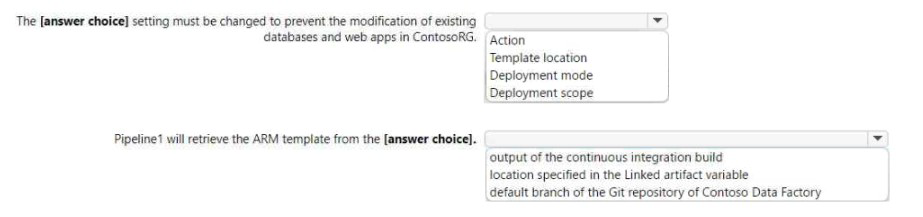
You have an Azure subscription that contains two resource groups named Contoso RG and Contoso Dev, an Azure data factory named Contoso Data Factory, and a releasepipeline
in Azure Pipelines named Pipeline1.
You plan to deploy Contoso Data Factory to ContosoRG by using Pipeline1.
You add the Azure Resource Manager (ARM) template deployment task shown the following exhibit.

| Page 11 out of 49 Pages |