Topic 5, Misc. Questions
You have a Microsoft 365 E5 tenant that contains five devices enrolled in Microsoft Intune as shown in the following table.
All the devices have an app named App1 installed.
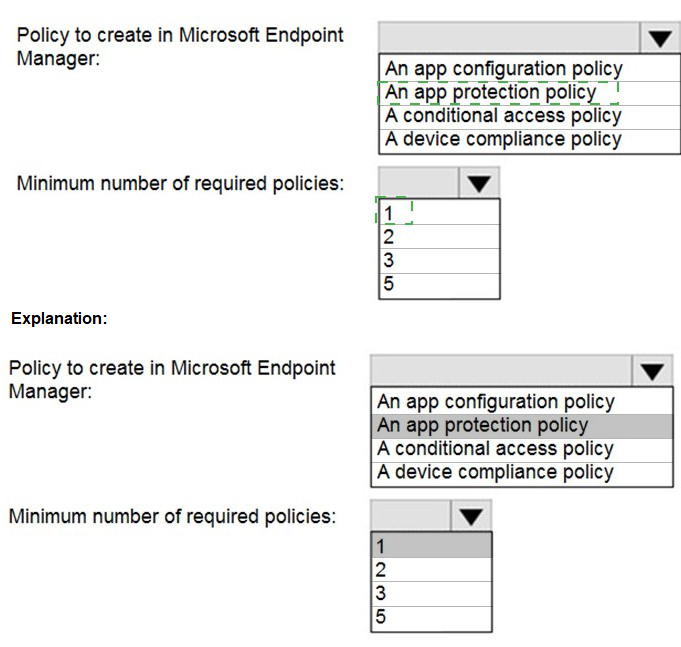
You need to prevent users from copying data from App1 and pasting the data into other apps.
Which policy should you create in Microsoft Endpoint Manager, and what is the minimum number of required policies? To answer, select the appropriate options in the answer area.
NOTE: Each correct selection is worth one point.

Note: This question is part of a series of questions that present the same scenario.
Each question in the series contains a unique solution that might meet the stated goals. Some question sets might have more than one correct solution, while others might not have a correct solution. After you answer a question in this section, you will NOT be able to return to it. As a result, these questions will not appear in the review screen.
You have a Microsoft 365 E5 subscription.
You create an account for a new security administrator named SecAdmin1.
You need to ensure that SecAdmin1 can manage Microsoft Defender for Office 365 settings and policies for Microsoft Teams, SharePoint, and OneDrive.
Solution: From the Microsoft 365 admin center, you assign SecAdmin1 the Exchange Administrator role.
Does this meet the goal?
A.
Yes
B.
No
No
Explanation:
You need to assign the Security Administrator role.
Reference:
https://docs.microsoft.com/en-us/microsoft-365/security/office-365-security/office-365-atp
Your network contains an on-premises Active Directory domain named contoso.local. The domain contains five domain controllers.
Your company purchases Microsoft 365 and creates an Azure AD tenant named contoso.onmicrosoft.com.
You plan to install Azure AD Connect on a member server and implement pass-through authentication.
You need to prepare the environment for the planned implementation of pass-through authentication.
Which three actions should you perform? Each correct answer presents part of the solution.
NOTE: Each correct selection is worth one point.
A.
From a domain controller install an Authentication Agent
B.
From the Microsoft Entra admin center, confiqure an authentication method.
C.
From Active Director,' Domains and Trusts add a UPN suffix
D.
Modify the email address attribute for each user account.
E.
From the Microsoft Entra admin center, add a custom domain name.
F.
Modify the User logon name for each user account.
From a domain controller install an Authentication Agent
B.
From the Microsoft Entra admin center, confiqure an authentication method.
E.
From the Microsoft Entra admin center, add a custom domain name.
Explanation:
Deploy Azure AD Pass-through Authentication
Step 1: Check the prerequisites
Ensure that the following prerequisites are in place.
In the Entra admin center
1. Create a cloud-only Hybrid Identity Administrator account or a Hybrid Identity administrator account on your Azure AD tenant. This way, you can manage the configuration of your tenant should your on-premises services fail or become unavailable.
(E) 2. Add one or more custom domain names to your Azure AD tenant. Your users can sign in with one of these domain names.
(A) In your on-premises environment
1. Identify a server running Windows Server 2016 or later to run Azure AD Connect. If not enabled already, enable TLS 1.2 on the server. Add the server to the same Active Directory forest as the users whose passwords you need to validate. It should be noted that installation of Pass-Through Authentication agent on Windows Server Core versions is not supported.
2. Install the latest version of Azure AD Connect on the server identified in the preceding step. If you already have Azure AD Connect running, ensure that the version is supported.
3. Identify one or more additional servers (running Windows Server 2016 or later, with TLS 1.2 enabled) where you can run standalone Authentication Agents. These additional servers are needed to ensure the high availability of requests to sign in. Add the servers to the same Active Directory forest as the users whose passwords you need to validate.
4. Etc.
(B) Step 2: Enable the feature
Enable Pass-through Authentication through Azure AD Connect. If you're installing Azure AD Connect for the first time, choose the custom installation path. At the User sign-in page, choose Pass-through Authentication as the Sign On method. On successful completion, a Pass-through Authentication Agent is installed on the same server as Azure AD Connect. In addition, the Pass-through Authentication feature is enabled on your tenant.
Incorrect:
Not C: From Active Directory Domains and Trusts, add a UPN suffix
Not D. Modify the email address attribute for each user account.
Not F. Modify the User logon name for each user account.
Reference:
https://learn.microsoft.com/en-us/azure/active-directory/hybrid/connect/how-to-connect-ptaquick-start
You have a Microsoft 365 subscription that uses Security & Compliance retention policies.
You implement a preservation lock on a retention policy that is assigned to all executive users.
Which two actions can you perform on the retention policy? Each correct answer presents a complete solution.
NOTE: Each correct selection is worth one point?
A.
Add locations to the policy
B.
Reduce the duration of policy
C.
Remove locations from the policy
D.
Extend the duration of the policy
E.
Disable the policy
Add locations to the policy
D.
Extend the duration of the policy
You have a Microsoft 365 E5 subscription.
From the Microsoft 365 Defender portal, you plan to export a detailed report of compromised users.
What is the longest time range that can be included in the report?
A.
1 day
B.
7 days
C.
30 days
D.
90 days
30 days
Explanation:
View email security reports in the Microsoft 365 Defender portal
The aggregate view shows data for the last 90 days and the detail view shows data for the last 30 days
Reference:
https://learn.microsoft.com/en-us/microsoft-365/security/office-365-security/reports-emailsecurity
You have a Microsoft 365 subscription.
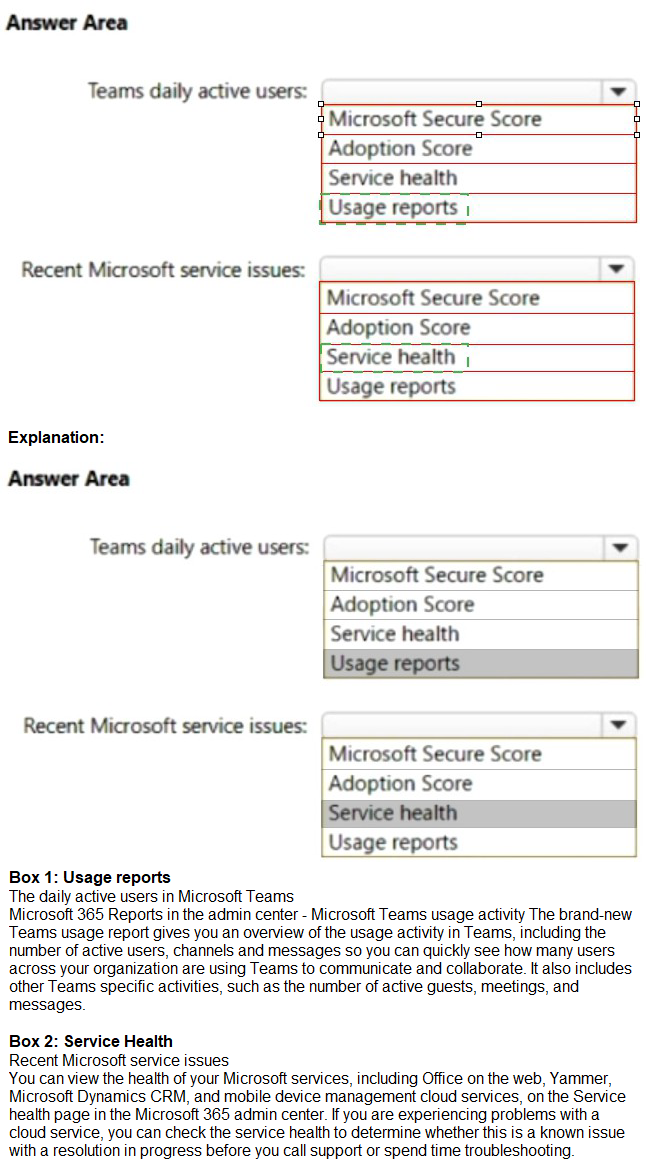
You need to review metrics for the following:
The daily active users in Microsoft Teams
Recent Microsoft service issues
What should you use? To answer, select the appropriate options in the answer area.
NOTE: Each correct selection is worth one point.

Your network contains an on-premises Active Directory domain named contoso.com. The domain contains the objects shown in the following table.

You configure Azure AD Connect to sync contoso.com to Azure AD.
Which objects will sync to Azure AD?
A.
Group1 only
B.
User1 and User2 only
C.
Group1 and User1 only
D.
Group1, User1, and User2
Explanation:
Disabled accounts
Disabled accounts are synchronized as well to Azure AD. Disabled accounts are common to represent resources in Exchange, for example conference rooms. The exception is users with a linked mailbox; as previously mentioned, these will never provision an account to Azure AD.
The assumption is that if a disabled user account is found, then we won't find another active account later and the object is provisioned to Azure AD with the userPrincipalName and sourceAnchor found. In case another active account will join to the same metaverse object, then its userPrincipalName and sourceAnchor will be used.
Reference:
https://learn.microsoft.com/en-us/azure/active-directory/hybrid/connect/concept-azure-adconnect-sync-user-and-contacts
Your network contains an on-premises Active Directory domain.
You have a Microsoft 365 E5 subscription.
You plan to implement directory synchronization.
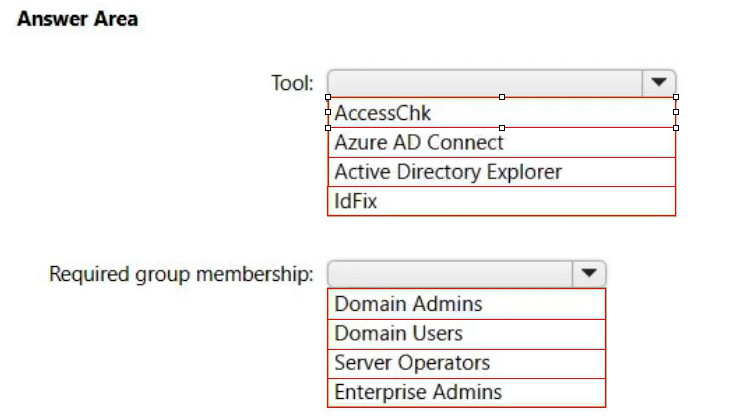
You need to identify potential synchronization issues for the domain. The solution must use the principle of least privilege.
What should you use? To answer, select the appropriate options in the answer area.
NOTE: Each correct selection is worth one point.
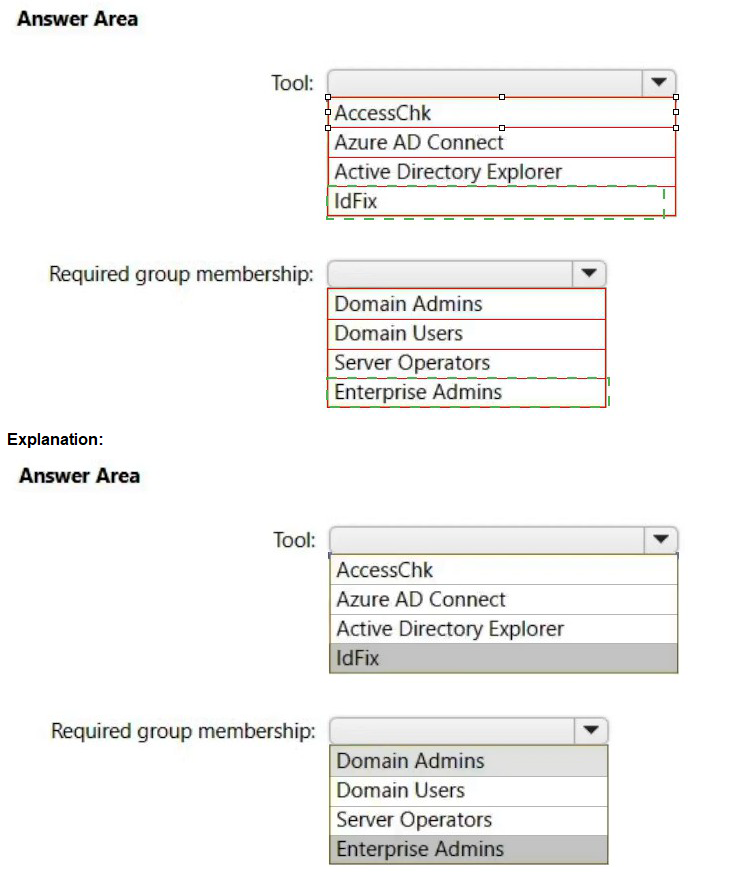
Box 1: IdFix
Query and fix invalid object attributes with the IdFix tool
Microsoft is working to reduce the time required to remediate identity issues when onboarding to Microsoft 365. A portion of this effort is intended to address the time involved in remediating the Windows Server Active Directory (Windows Server AD) errors reported by the directory synchronization tools such as Azure AD Connect and Azure AD Connect cloud sync. The focus of IdFix is to enable you to accomplish this task in a simple, expedient fashion.
The IdFix tool provides you the ability to query, identify, and remediate the majority of object synchronization errors in your Window’s Server AD forests in preparation for deployment to Microsoft 365. The utility does not fix all errors, but it does find and fix the majority. This remediation will then allow you to successfully synchronize users, contacts, and groups from on-premises Active Directory into Microsoft 365. Note: IdFix might identify errors beyond those that emerge during synchronization. The most common example is compliance with rfc 2822 for smtp addresses. Although invalid attribute values can be synchronized to the cloud, the product group recommends that these errors be corrected.
Incorrect:
* AccessChk
Box 2: Enterprise Admins
IdFix permissions requirements
The user account that you use to run IdFix must have read and write access to the AD DS domain.
If you aren’t sure if your user account meets these requirements, and you’re not sure how to check, you can still download and run IdFix. If your user account doesn’t have the right permissions, IdFix will simply display an error when you try to run it.
* Enterprise Admins
The Enterprise Admins group exists only in the root domain of an Active Directory forest of domains. The group is a Universal group if the domain is in native mode. The group is a Global group if the domain is in mixed mode. Members of this group are authorized to make forest-wide changes in Active Directory, like adding child domains.
Incorrect:
* Domain Admins
Members of the Domain Admins security group are authorized to administer the domain. By default, the Domain Admins group is a member of the Administrators group on all computers that have joined a domain, including the domain controllers. The Domain Admins group is the default owner of any object that's created in Active Directory for the domain by any member of the group. If members of the group create other objects, such as files, the default owner is the Administrators group.
* Server Operator
Server Operators can log on to a server interactively; create and delete network shares;
start and stop services; back up and restore files; format the hard disk of the computer; and shut down the computer. Any service that accesses the system has the Service identity.
* Domain Users - too few permissions
The Domain Users group includes all user accounts in a domain. When you create a user account in a domain, it's automatically added to this group.
You have a Microsoft 365 E5 subscription that uses Microsoft intune.
in the Microsoft Endpoint Manager admin center, you discover many stale and inactive devices, You enable device clean-up rules. What can you configure as the minimum number of days before a device a removed automatically?
A.
10
B.
30
C.
45
D.
90
90
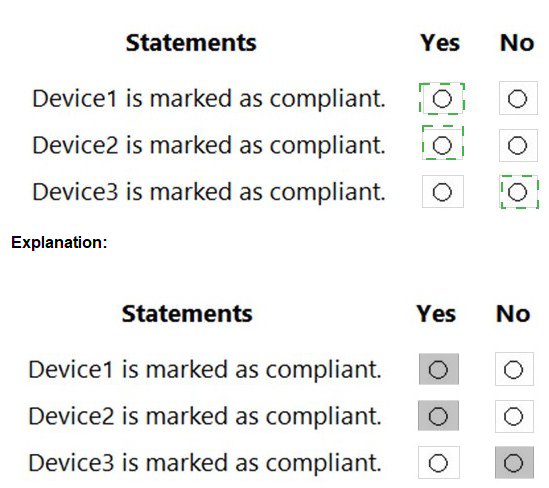
You have a Microsoft 365 tenant that contains the compliance policies shown in the following table.

| Page 9 out of 31 Pages |